


Deleting Instagram Account :: Welcome to our comprehensive guide on permanently deleting your Instagram account. In this article, we will provide you with a step-by-step process to help you successfully remove your Instagram account from the platform. Deleting an Instagram account can be a significant decision, and we understand the need for clear instructions to guide you through the process. Let’s dive in!
Why Delete Your Instagram Account?
Before we proceed with the deletion process, let’s explore some common reasons why individuals might choose to delete their Instagram accounts:
1. Privacy Concerns: With the increasing emphasis on online privacy, many users decide to delete their Instagram accounts to regain control over their personal information.
2. Time Management: Instagram can be a major source of distraction, consuming valuable time that could be used for more productive activities. Deleting the account helps individuals regain focus and improve productivity.
3. Social Comparison and Self-Esteem: Constant exposure to carefully curated images on Instagram can lead to feelings of inadequacy and lower self-esteem. Deleting the account can alleviate the negative impact of social comparison.
4. Security: In the event of a compromised account or concern over potential security breaches, permanently deleting the Instagram account can provide peace of mind.
Step-by-Step Guide to Permanently Delete Your Instagram Account
Follow these detailed steps to permanently delete your Instagram account:
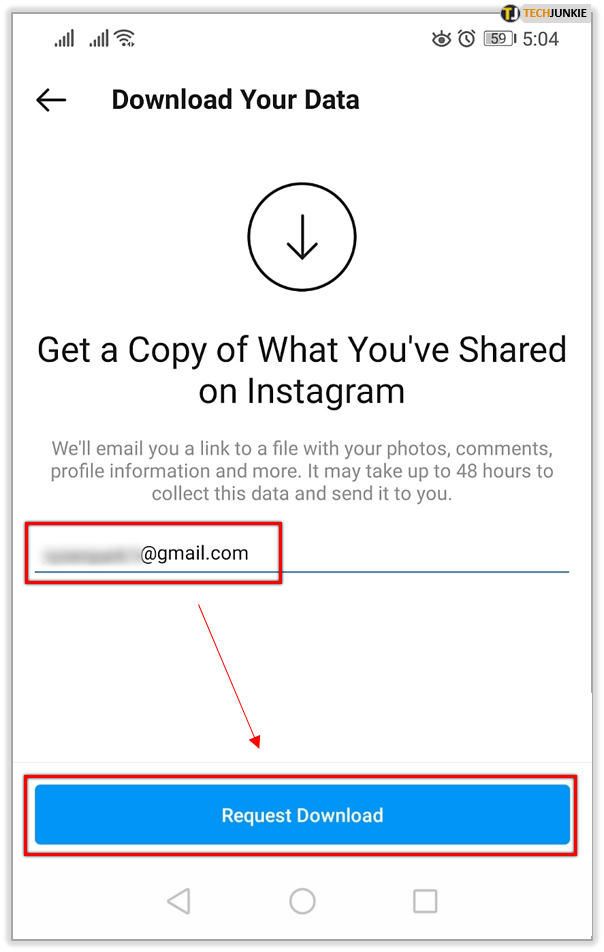
Step 1: Backup Your Data
Before proceeding with the deletion process, it is essential to back up any data or content you wish to retain. This includes photos, videos, direct messages, and any other valuable information associated with your Instagram account. Once deleted, this data cannot be recovered.
Step 2: Visit the Instagram Website
Open your preferred web browser and visit the Instagram website at https://www.instagram.com
Step 3: Log in to Your Account
Log in to your Instagram account using your username and password. It is essential to ensure you have access to the account you wish to delete.
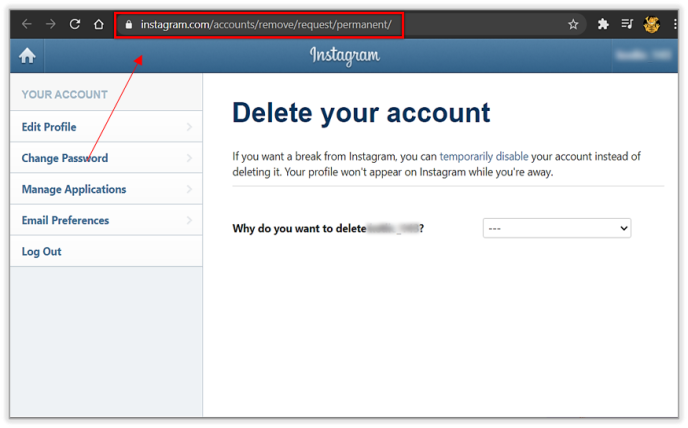
Step 4: Access the “Delete Your Account” Page
Once logged in, navigate to the “Delete Your Account” page. This page provides you with the option to permanently delete your Instagram account.
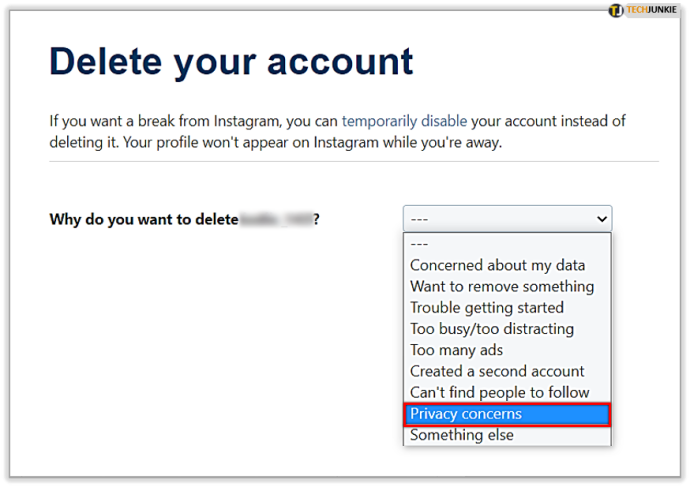
Step 5: Choose a Reason for Deletion
Instagram requires you to select a reason for deleting your account from the provided options. Select the most appropriate reason that aligns with your decision to delete your account.
Step 6: Re-enter Your Password
To confirm the deletion request and ensure account ownership, re-enter your Instagram account password.
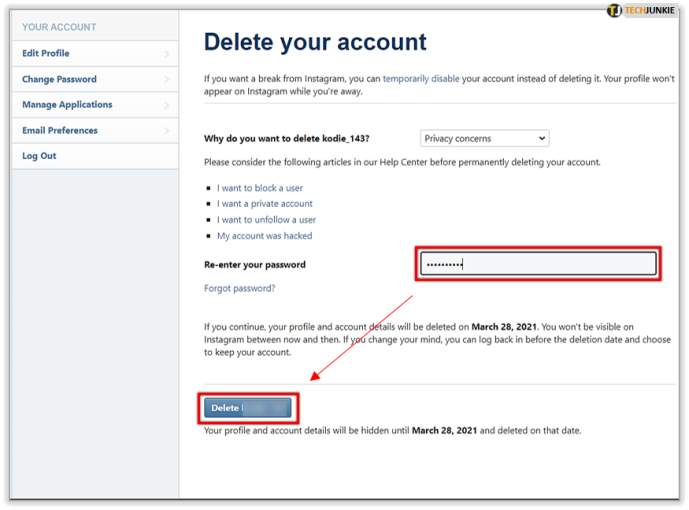
Step 7: Permanently Delete Your Account
Click on the “Permanently delete my account” button to initiate the deletion process. Once confirmed, your Instagram account, along with all associated data, will be permanently removed from the platform.
Read More : Account Delete Instagram: Simple Steps to Delete Your Instagram Account Permanently
Conclusion
Congratulations! You have successfully learned how to permanently delete your Instagram account. It’s important to note that this action is irreversible, and all your data will be permanently deleted. We hope this comprehensive guide has provided you with the necessary information to carry out the deletion process confidently.
Remember, deleting your Instagram account is a personal decision. If you ever change your mind, it will not be possible to recover your account or the associated data. Take the time to consider your options and ensure this aligns with your long-term goals.




