

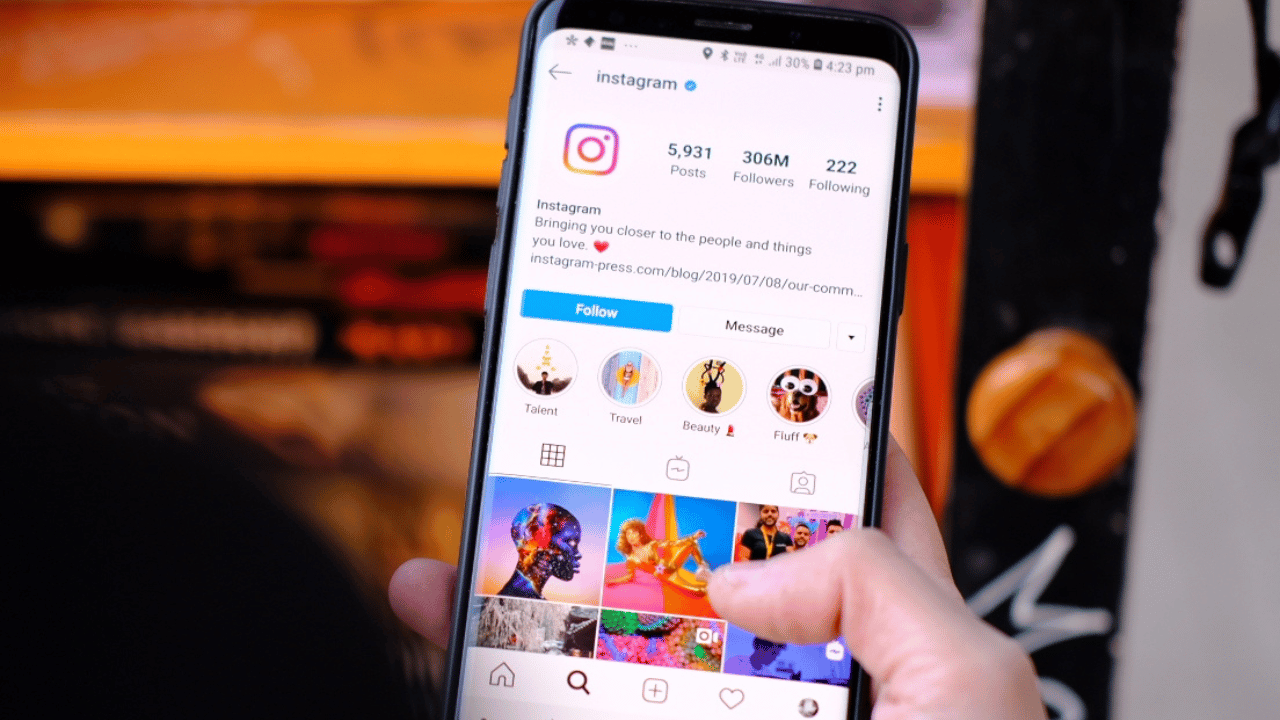
Delete My Instagram Account :: Welcome to our comprehensive guide on permanently deleting your Instagram account. If you’re looking to remove your presence from the popular social media platform, you’ve come to the right place.
In this article, we will provide you with step-by-step instructions on how to delete your Instagram account permanently. By following these guidelines, you can ensure that your account is completely removed from Instagram’s servers, providing you with the privacy and peace of mind you desire.
Section 1: Backing Up Your Data
Before proceeding with the deletion process, it’s crucial to back up any data you wish to retain from your Instagram account. Here’s how you can do it:
1. Open the Instagram app on your mobile device or visit the Instagram website on your computer.
2. Log in to your account using your credentials.
3. Navigate to your profile by tapping/clicking on your profile picture.
4. Tap/Click on the menu icon (three horizontal lines) located at the top right corner of the screen.
5. Select “Settings” from the menu options.
6. Scroll down and tap/click on “Security.”
7. Under the “Data and History” section, choose “Download Data.”
8. Enter your email address and tap/click on “Request Download.”
9. Instagram will now prepare your data and send it to your email address. This process may take some time depending on the size of your data.
Section 2: Permanently Deleting Your Instagram Account
Now that you have backed up your data, let’s proceed with the permanent deletion of your Instagram account. Follow these steps:
1. Access the Instagram website on your computer or open the Instagram app on your mobile device.
2. Log in to your account using your credentials.
3. Visit the Instagram account deletion page by clicking here.
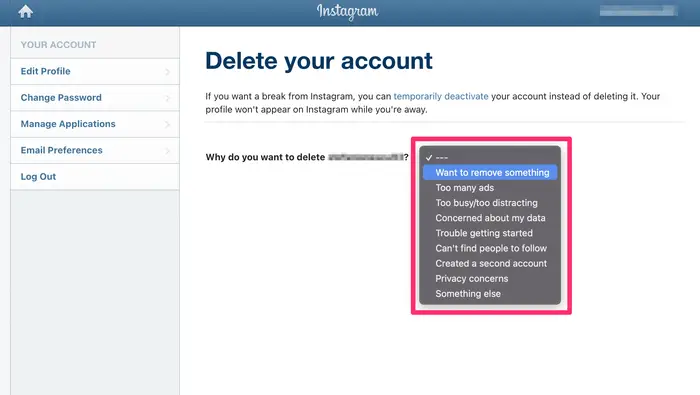
4. Select the reason for deleting your account from the drop-down menu. You can choose from options like privacy concerns, too much time spent on Instagram, or simply wanting a fresh start.
5. Re-enter your password to confirm your identity.
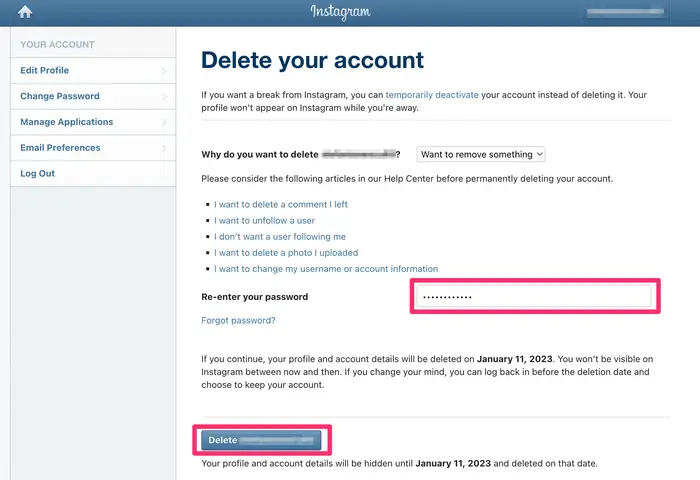
6. Click/Tap on “Permanently delete my account.”
Section 3: Understanding the Consequences
It’s important to note the consequences of permanently deleting your Instagram account:
1. Irreversible Deletion: Once you delete your account, there is no way to recover it. All your photos, videos, comments, and followers will be permanently removed.
2. Loss of Data: As mentioned earlier, it’s crucial to back up any data you want to retain before deleting your account.
3. No Reactivation: Deleted accounts cannot be reactivated. If you decide to use Instagram again, you will need to create a new account.
Section 4: Alternatives to Account Deletion
If you’re considering deleting your Instagram account due to privacy concerns, excessive usage, or other reasons, you might want to explore alternative options before making a final decision. Here are a few alternatives to consider:
1. Deactivating Your Account: Deactivating your account allows you to take a break from Instagram without permanently deleting your data. During this period, your account will be hidden from other users, and you can reactivate it at any time by logging back in.
2. Privacy Settings: Review and adjust your privacy settings to control the information you share and who can view it. You can make your account private, manage comment controls, and restrict unwanted interactions.
3. Unfollowing and Blocking: If you’re concerned about specific followers or interactions, consider unfollowing or blocking those accounts to limit their access to your content.
4. Content Management: Regularly review and delete any content that you no longer wish to be associated with your account.
Read More : Instagram the App: A Comprehensive Guide to Social Media Engagement
Conclusion
Congratulations! You have successfully learned how to permanently delete your Instagram account. By following the step-by-step instructions provided in this guide, you have taken the necessary steps to remove your presence from Instagram.
Remember to back up any data you wish to retain and carefully consider the consequences before proceeding with the account deletion. If you decide to explore alternative options, such as deactivation or adjusting privacy settings, always prioritize your personal preferences and online well-being.
Please note that the information provided in this guide is accurate at the time of writing, but Instagram’s user interface and settings may change over time. For the most up-to-date instructions, we recommend visiting Instagram’s official support documentation.
Remember, your online presence is in your hands, and we’re here to help you make informed decisions. Should you have any further questions or require assistance, don’t hesitate to reach out to us. Happy navigating!




